Guide · 3D tools
How to cut an STL that's too big for your printer
A cosplay helmet, a 40 cm lamp, a sign… half of what's worth printing doesn't fit a 220 mm bed. The usual fixes — Meshmixer, eyeballed cuts in the slicer — are slow and error-prone. With hotend's STL cutter you pick your printer, and the model is split into pieces that truly fit your bed: we use each model's real build volume from our verified-specs database.
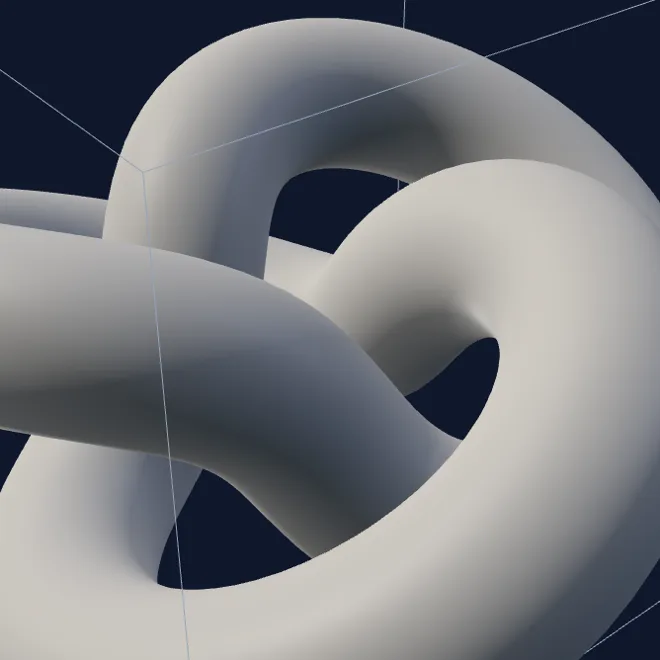
From an impossible model to printable pieces
 →
→ 
Step by step
- Drag your STL, OBJ, 3MF or PLY into the cutter (or try the 30 cm sample part to see it work).
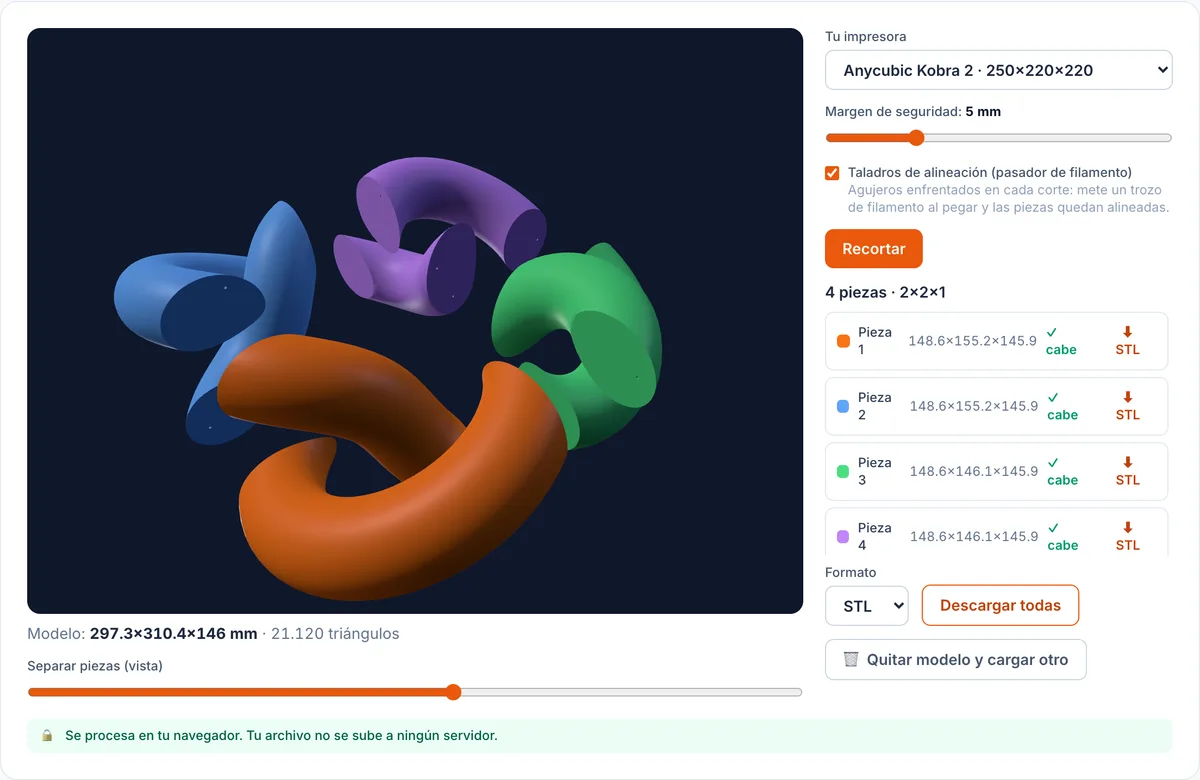
- Pick your printer from the dropdown: we apply the real build volume from its spec sheet. Printer not listed? Type the bed manually (X × Y × Z).
- Set the safety margin (5 mm by default: a slightly smaller “effective” bed for skirts and brims) and keep alignment holes on.
- Hit “Cut for my bed”. You'll see the coloured pieces in an exploded view, each with its measurements and a ✓ fits badge.
- Download the pieces one by one or all at once, print them, and glue up using the holes as guides.
The filament-dowel trick
Gluing two big pieces freehand ends up crooked: the adhesive slides right as you press. That's why every cut gets 2-3 facing 2 mm holes on both faces: snip short bits of filament, push them into one side's holes, present the other piece and they self-align while the glue sets. It's the locating-pin trick from model kits — using material you already have on the spool.
Why the pieces always come out printable
Cutting a mesh is easy to do badly: many tools return pieces with an open cut face, and the slicer either complains or fills what it shouldn't. Here every cut runs on the Manifold geometry kernel (booleans with guaranteed-watertight output), so each piece downloads closed, with a solid cut face that's ready to print flat on the bed. And if your source mesh is broken — scans, old downloads — we tell you before cutting, with the fix one click away: the mesh reducer welds vertices as it rebuilds.
Orientation tip: print each piece cut-face down on the bed — it's flat, needs no supports, and the visible surface stays untouched. If the part will live outdoors or bear load, it's worth checking which filament to choose before spending a spool.
FAQ
- How many pieces will I get?
- The minimum: the tool computes the fewest cuts per axis so every piece fits your bed with your chosen margin. A 30 cm model on a 22 cm bed usually ends up as 2-4 pieces.
- How do I glue the pieces afterwards?
- Cyanoacrylate (superglue) for PLA and PETG, or epoxy for large joints. Keep the alignment holes on: slide a short piece of filament into each facing hole pair and the parts lock in place while the adhesive sets — no sliding right as you press.
- It says my mesh is not watertight — now what?
- Your STL has holes or broken edges (typical of scans and old downloads), and cutting it blindly would produce corrupt pieces. Run it through our mesh reducer first — rebuilding the mesh welds vertices — or repair it in your slicer, then load it again.
- What if the part fits when rotated?
- The tool tells you before cutting: if the model fits the bed in another orientation, you get a notice that no cutting is needed. Cutting and gluing is always the last resort.
- Is my model uploaded anywhere?
- No. All cutting happens in your browser on the Manifold geometry kernel compiled to WebAssembly. Your file never leaves your machine, there's no upload limit, and downloaded pieces are always watertight.
Sources
- hotend's STL cutter for your bed
- hotend's mesh reducer (welds and repairs as it rebuilds)
- Printer catalogue with verified specs (where the bed volumes come from)
- Manifold (the guaranteed-manifold boolean kernel)